If a visitor has to think about how to find a page on your website, your navigation has already failed.
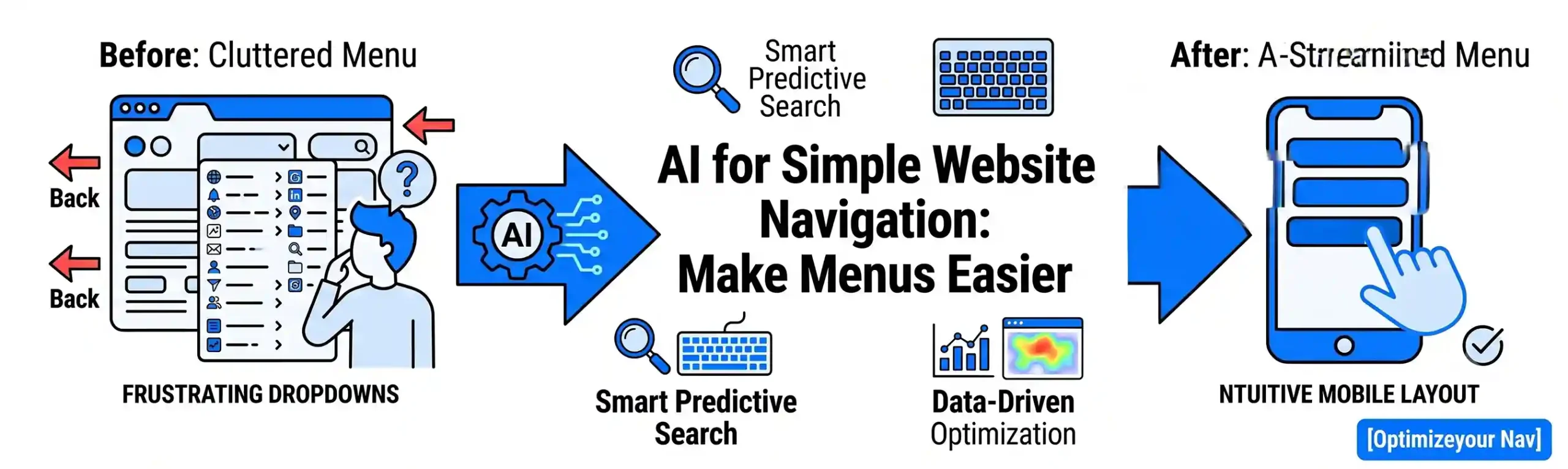
We have all experienced the frustration of visiting a website looking for a specific piece of information – like a pricing page, a support number, or a particular service – only to get lost in a massive, cluttered dropdown menu. When a menu feels like a maze, users don’t keep searching. They click the “Back” button and head straight to a competitor’s site.
In 2026, AI-assisted navigation is changing how businesses structure their digital layouts. Instead of forcing users to adapt to rigid, confusing menu structures, simple AI tools analyze user behavior to make menus intuitive, organized, and remarkably easy to use.
1. Organizing Cluttered Links Based on Real User Data
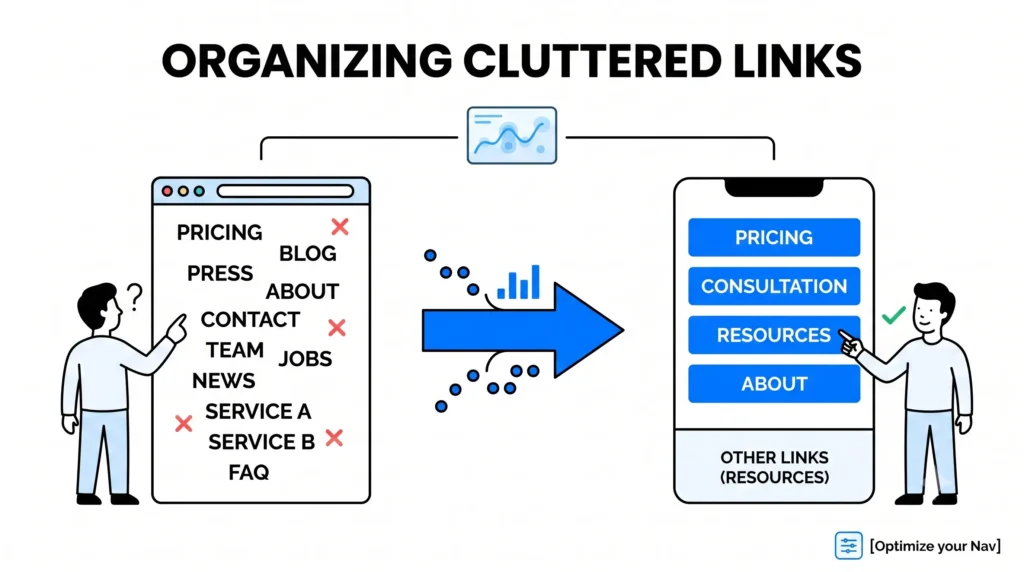
Many businesses make the mistake of putting every single page into their main header menu because they want to show everything they offer. This creates “cognitive overload” – a situation where a user is faced with so many choices that they end up choosing nothing at all.
- How AI Helps: AI analytics tools quietly track how users interact with your navigation bars. They notice which links are clicked constantly (like Pricing or Book a Consultation) and which ones are completely ignored (like a 3-year-old press release buried in a submenu).
- The Benefit: The AI provides clear “Heatmap” insights and data-driven suggestions, allowing you to streamline your main menu down to the top 4 or 5 most valuable links. The rest are automatically grouped into clean, sensible subcategories or moved to the footer, making the primary layout clean and scannable.
2. Implementing Smart Predictive Search
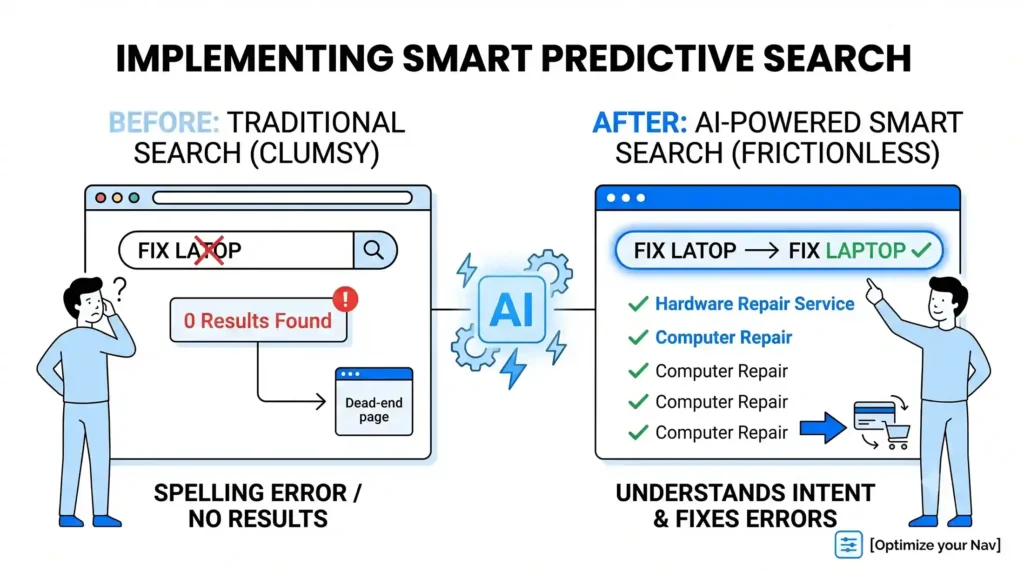
For websites with a lot of content – such as e-commerce stores, real estate listings, or extensive service catalogs – a traditional search bar can be clumsy. If a user mistypes a word or uses a slightly different term than what is written on your site, they get a frustrating “0 Results Found” page.
- How AI Helps: AI upgrades your standard search bar into a “Predictive Search” engine. It handles spelling errors effortlessly and understands the intent behind a search. If someone types “fix laptop,” the AI knows to direct them to your Hardware Repair service page, even if the word “fix” isn’t explicitly in the title.
- The Benefit: It gives users a shortcut past the menu entirely. They find exactly what they need in seconds just by typing a few characters, creating a frictionless path to conversion.
3. Dynamic “Quick Links” for Return Visitors
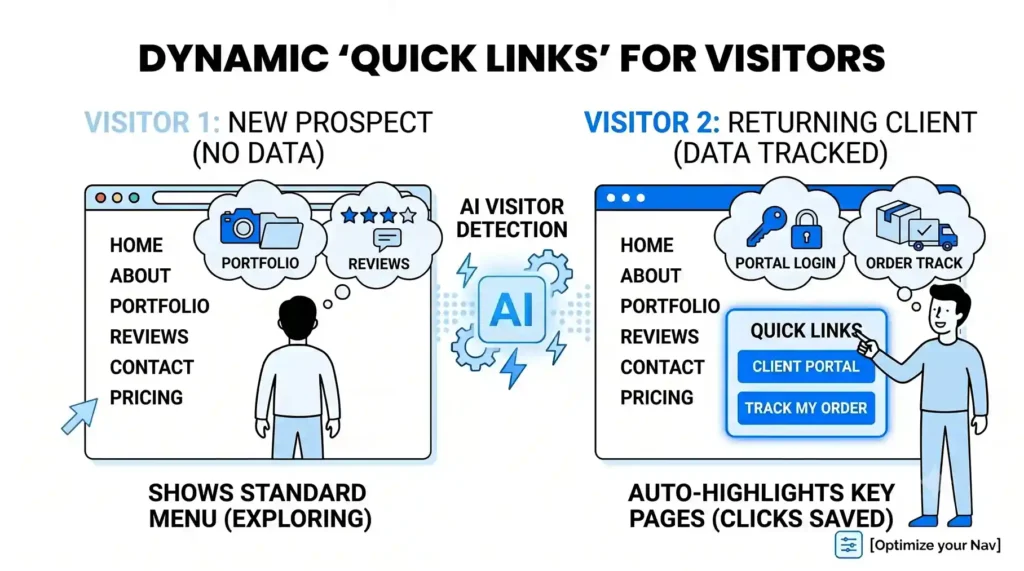
A first-time visitor to your website is looking for very different information than a returning client. A prospect wants to see your portfolio and reviews; an existing customer is likely trying to find their portal login or contact support.
- How AI Helps: Simple behavioral AI can detect if a visitor is new or returning. For returning users, the system can subtly adjust a corner of your menu to highlight a “Quick Links” section containing their most frequently accessed pages – such as Client Dashboard or Track My Order.
- The Benefit: It creates a personalized, helpful experience without requiring the user to log in first. By saving them clicks, you show that your business values their time, which builds long-term customer loyalty.
4. Keeping Mobile Menus Clean and Accessible
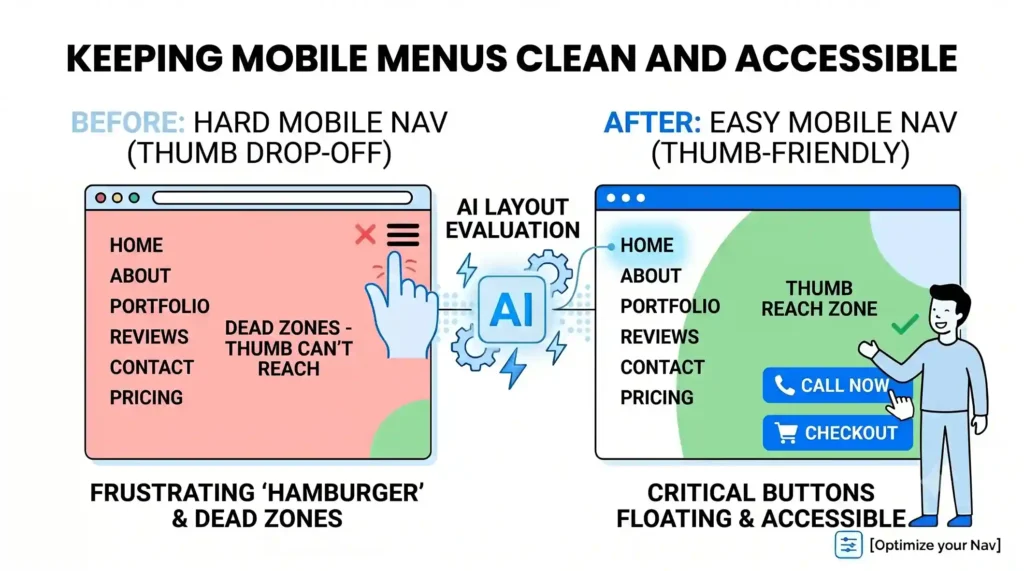
Navigating a website on a desktop with a mouse is relatively easy. Navigating that same website on a small smartphone screen using a thumb is where most user experiences fall apart. Hamburger menus (the three little lines in the corner) often hide critical links too deeply.
- How AI Helps: Layout-testing AIs can automatically evaluate your mobile performance. They highlight “Dead Zones” – areas of the screen that are hard for a user’s thumb to reach – and suggest layout shifts. They ensure that your most critical buttons (like Call Now or Checkout) remain floating and accessible at the bottom of the screen.
- The Benefit: You capture mobile traffic effectively. By designing your navigation around how people actually hold and use their phones, you prevent mobile drop-offs and boost your phone-based conversions.
The Outcome: Clear Paths Lead to Higher Sales
The best website navigation is invisible. When a menu is working perfectly, the user moves from landing page to checkout smoothly, without ever having to pause and look for where to click next. By letting AI analyze user habits, power your search, and clean up your mobile layouts, you ensure that your website acts as a guide rather than a barrier.
At Nuclay Solutions, we specialize in building highly intuitive web architectures. We help you use data and smart design principles to clear away digital clutter, ensuring your prospective customers always find the fastest route to your solutions.
Is Your Website Menu Getting In The Way?
Stop letting confusing navigation drive customers away. Connect with the Nuclay team to streamline your links, build frictionless menus, and maximize conversions.
Optimize Your Navigation